

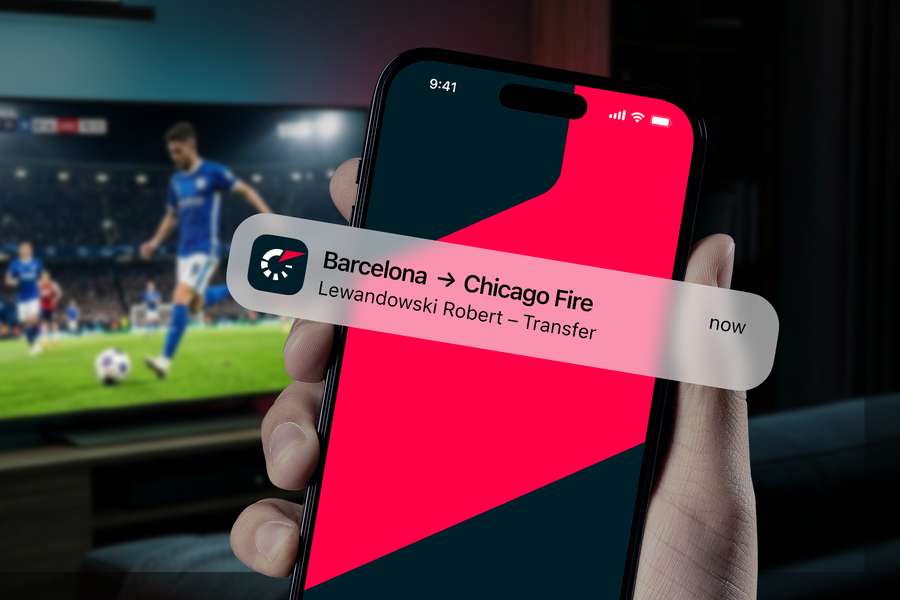
[p]We're introducing three new features: transfers in your favourite teams, transfers of your favourite players, and news about your favourite players. We'll notify you about your favourites' transfers as soon as they're officially confirmed.[/p][p]The new features are already available in the Flashscore app for Android and iOS (from version 26.7). Update your app, or download it from the App Store or Google Play. For now, these features are available for football only.[/p][h2]Squad overview and every transfer of your favourites[/h2][p]The new version of Flashscore offers much more than before. Track all ins and outs from your favourite team: up-to-date confirmed transfers, loans, and a complete overview of your favourite team's current squad – all in one place.[/p][p]It doesn't have to stop at the team level. If you've added a specific player to your favourites, you won't miss any of their moves or any news about them either.[/p][h2]How to enable transfer notifications[/h2][p]Setting up notifications is easy – it just depends on whether you're adding a team or player to your Favourites for the first time, or if you already have them there.[/p][image alt="How to turn on transfer notifications?" id="ffcde111-1514-44ff-9444-ccf7b4b1828b" credit-line="Flashscore" guid="74cb519a-0548-4448-940d-65875a050125" original-width="1800" original-height="1200" /][p][b]If you want to set notifications for both players and teams at once[/b][/p][p]You can also set notifications globally for all your favourite teams and players at once. Tap the little person icon with the cogwheel to go to [b]Settings[/b], where you'll find the [b]Notification Settings[/b] section. Here, select [b]Football[/b] and set notifications globally for all football teams or players. Then scroll down to the [b]Media[/b] section and tick [b]Transfers[/b].[/p][p][b]If you're adding a team or player to your Favourites[/b][/p][p]When you add a team to your Favourites by clicking the [b]star[/b], a window will automatically pop up where you can choose which notifications to allow. Just scroll down to the [b]Transfers[/b] option and enable it with a click. You can change your notification settings at any time later via the [b]bell[/b] icon.[/p][image alt="How to add players to favorites?" id="af91411a-282e-486d-9a0e-865903899f51" credit-line="Flashscore" guid="815f5699-e153-4060-8daf-dae5ecfb7730" original-width="1800" original-height="1200" /][p][b]If you already have a team or player in your Favourites[/b][/p][p]Go to the [b]Favourites[/b] section in the bottom navigation. Here you'll find two tabs – [b]Teams and Players[/b] – where your favourite entities are saved.[/p][p]Click on an item to go to your favourite team or player's page, and use the [b]bell[/b] icon to access notification settings. There, in the [b]Media[/b] section, you can enable transfer notifications.[/p][p]And that's it! From now on, you won't miss a single transfer or update about your favourites.[/p]
Keep track of your team's and favourite players' transfers with new features
The transfer window is in full flow and the news is coming thick and fast. Will your favourite team sign a star name? Will your key player be heading elsewhere? With Flashscore, you won't miss a single update about your favourite team or player.
Related stories

⚽ Football
New
Roma and Nottingham open bidding war for Feyenoord back Givairo Read
Paul Winters

⚽ Football
New
Confirmed: Thomas Thomasberg replaces Alexander Zorniger as head coach of OB
Svend Bertil Frandsen

⚽ Football
New
Flashscore sources: Tottenham pivot towards new elite forward targets after Kroupi blow
Dean Jones

⚽ Football
New
Finnish international Antman leaves Rangers for four-year deal at Anderlecht
Anthony Tomas

⚽ Football
New
Jack Grealish admits injury is why he is missing Man City's pre-season tour
AFP

⚽ Football
New
Why Marcus Rashford would be the perfect signing for Roberto De Zerbi at Tottenham
Jason Pettigrove